IDM vs Veloce Comparison (2026)
Testing Methodology: Compared VELOCE AI v1.0.0 vs Internet Download Manager v6.42 on Windows 11 under typical browser workflows.
Last Reviewed: May 2026
| Category | VELOCE AI | Internet Download Manager (IDM) |
|---|---|---|
| Price | $5 lifetime | ~$25 lifetime |
| Workflow | Built-in Chromium browser | Browser extension |
| Connections | Up to 32 adaptive tunnels | Fixed segmented connections |
| Scheduler | Basic functionality | Available & mature |
| Queue management | Basic | Available & mature |
| Supported systems | Windows 10/11 | Windows (XP to 11) |
Why I Built Veloce After IDM Broke
Veloce started with a practical problem: IDM's browser integration stopped working reliably in my own workflow. Extension compatibility and browser updates kept interrupting downloads on my Windows 11 setup. During a critical project, the IDM integration repeatedly failed to capture the test download.
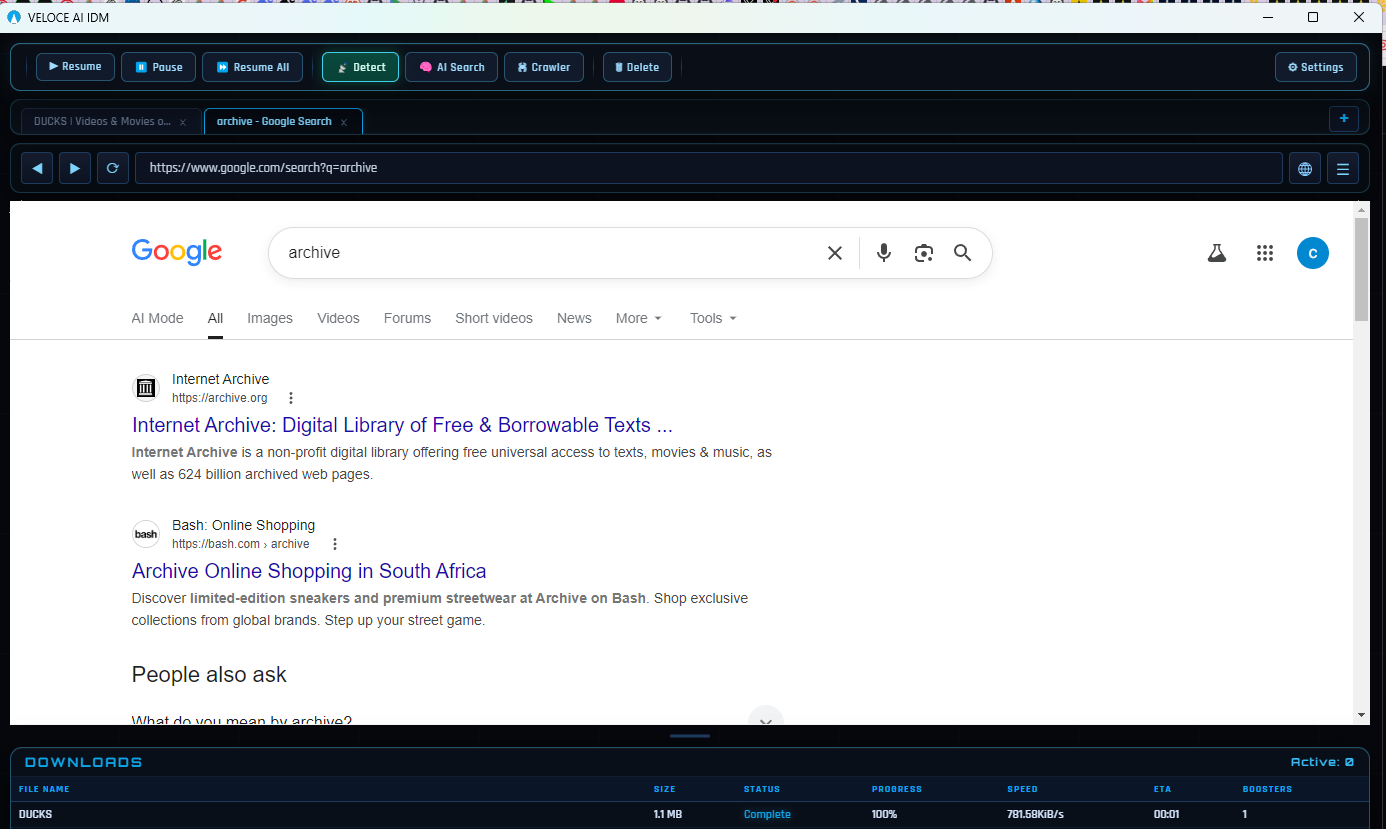
VELOCE AI uses an integrated browser to avoid extension failures.
Instead of building another toolbar extension that might break again, I built the browser directly into the download manager. VELOCE AI avoids that dependency entirely by including a full Chromium browser natively. Your first download happens faster than a traditional extension setup.
The Real Cost of Sticking with IDM
IDM charges $25 for a single PC. If you have a laptop and a desktop, that's $50. Their "lifetime" license covers one major version — when IDM 7.x ships, you're paying again. Over 5 years with 2 PCs, you're looking at $100-150 minimum.
VELOCE AI is $5. One price. All future updates. Any PC you own. That's not a discount — it's a different business model entirely. We make money when people buy, not when they renew.
What IDM Still Does Well
IDM has excellent site integration. After 25 years, they've built抓取 rules for thousands of sites. Their video download button appears reliably on YouTube, Vimeo, and most major platforms. The download dialog is fast and the UI, while dated, is consistent. If you've used IDM for years and your workflow is built around it, switching costs real time.
IDM's scheduler and queue management are mature — you can set download windows, speed limits, and file organization rules that work reliably. These are features VELOCE AI is still building.
The Switching Experience
Moving from IDM to VELOCE AI takes about 10 minutes. Download the installer, launch it, and you're in a full browser. Your first download happens faster than IDM's extension setup. No configuring browser integration. No restarting Chrome. No hunting for the right extension version.
The biggest adjustment is workflow: instead of right-clicking links and picking "Download with IDM," you browse in VELOCE AI's browser and downloads happen naturally. It's a different mental model — more like using a download-focused browser than a download manager plugin.
Frequently Asked Questions
Is VELOCE AI completely free?
Veloce offers a fully functional 3-day free trial. After that, it is a $5 one-time lifetime purchase. There are no subscriptions and all future updates are included.
Does it integrate with my existing Chrome or Edge?
No, and that is intentional. Veloce uses a built-in Chromium browser to guarantee stability and prevent extension breakage. You use Veloce's built-in browser specifically for downloading sessions.
Can I import my IDM downloads?
Currently, you cannot import active/partial IDM downloads because the file segmentation logic differs substantially. You can start fresh downloads within Veloce instantly.
Ready to Switch?
Thousands of users have already made the switch from IDM to VELOCE AI. Try it free for 3 days — no credit card required. If it doesn't fit your workflow, you've lost nothing. If it does, you've saved $20 and gained AI acceleration, a built-in browser, and lifetime updates.